Church service planning
for your Sunday team
The Services page in EasyChurchApp plans each Sunday: the order of service, the songs, and who is serving. Your volunteers get an invitation they can accept or decline from their phone.
Services is included on every plan, including free. On a paid plan, WorshipBoard puts the same order on the screen.
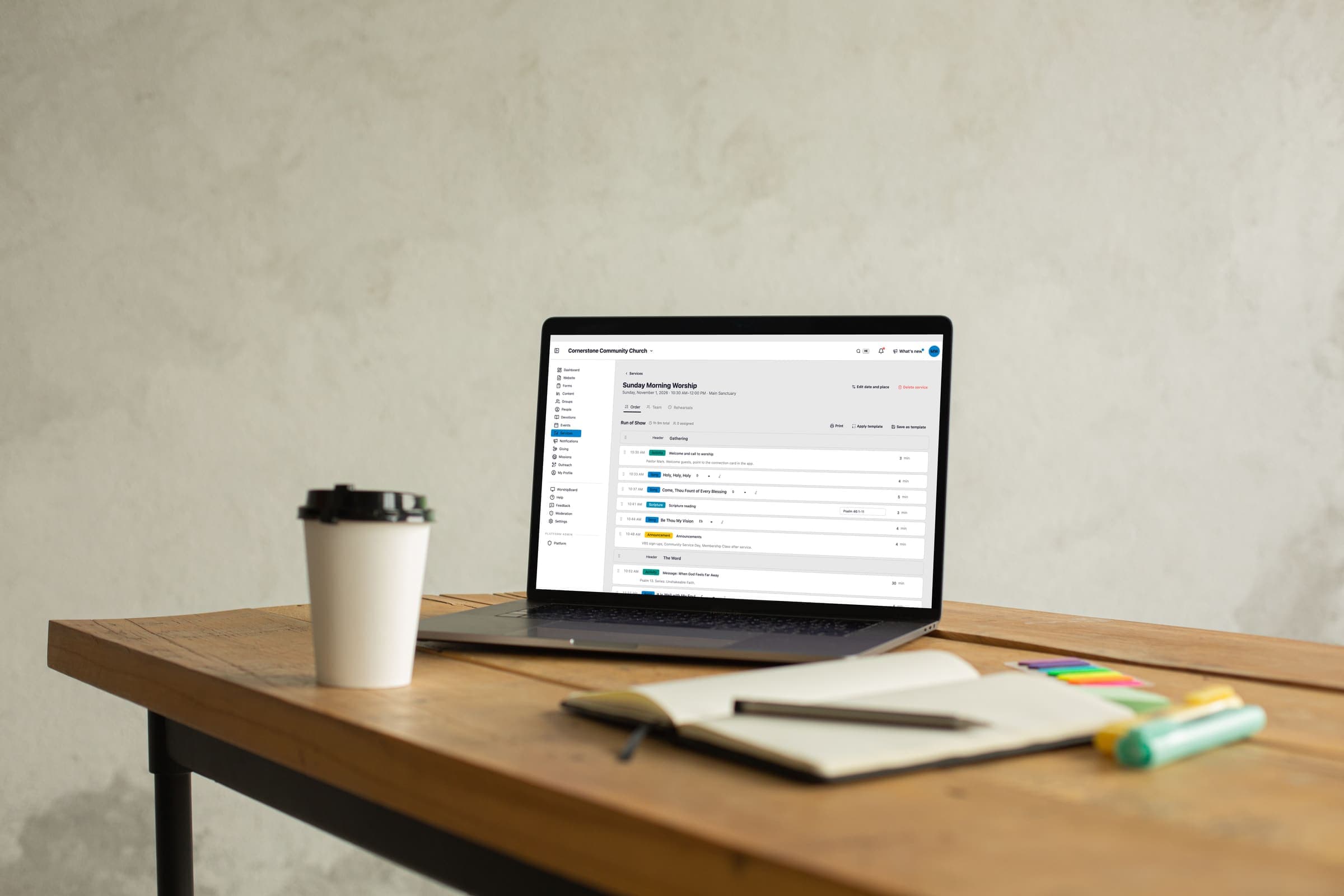
- Order of service with start times
- Team positions, invitations and away dates
- Rotations that ask people a week ahead
- A song library with chord charts
- A CCLI report you can download
Build the order of service
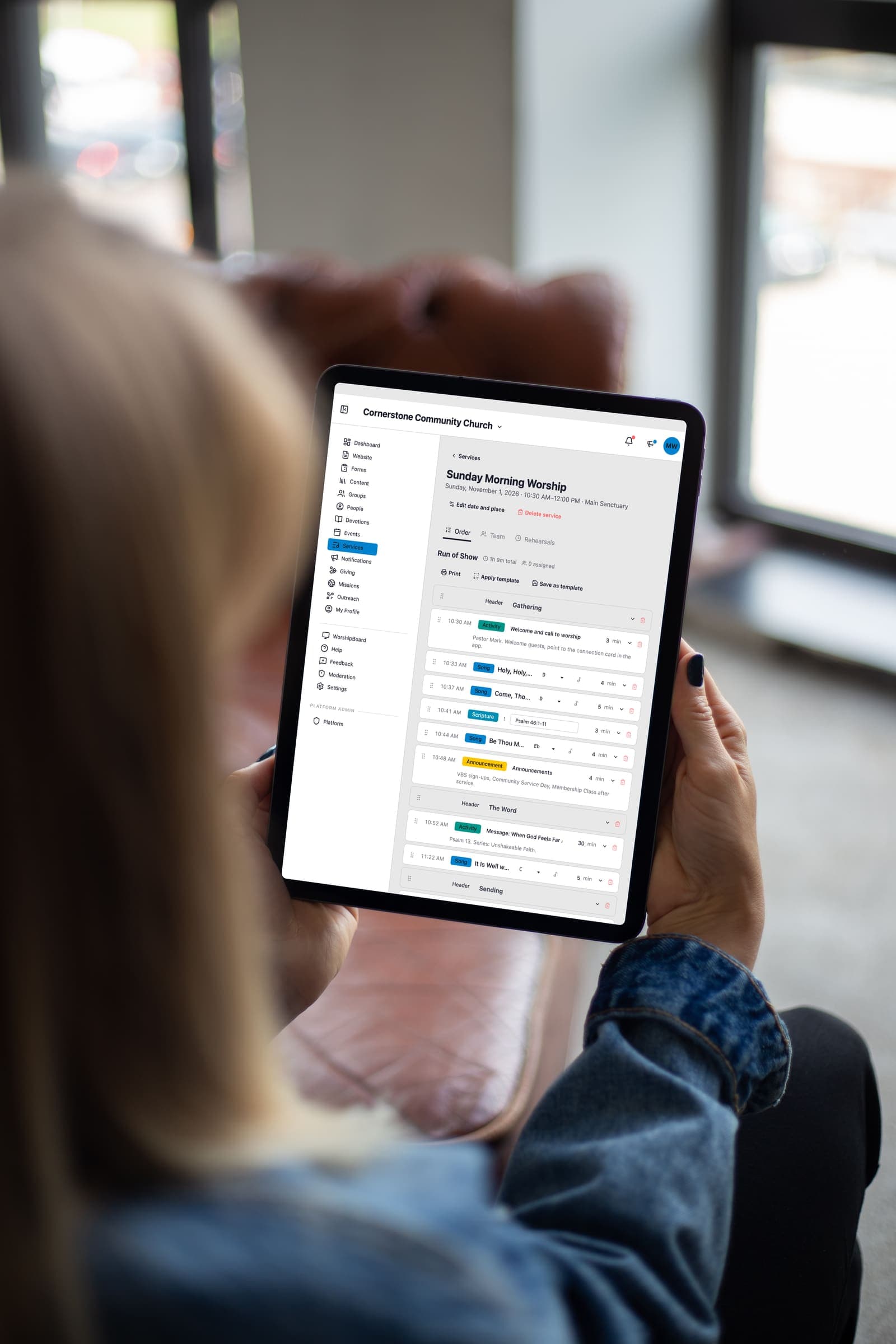
Open a Sunday and add each item in order: songs, a Scripture reading, announcements, the sermon.
Each item shows the time it starts, so you can see whether the service runs long before Sunday does.
Start a new week from the last plan for that service in one click, and change only what is different.
Add a rehearsal, setup or teardown time, and your team sees it on the plan.
Schedule your worship team and volunteers
On a service's Team tab, add the positions you need, like worship leader, piano or sound, and the people for each.
When you build a week by hand, nobody hears anything until you press Send.
Then each person gets an invitation to accept or decline, and a reminder the day before the service.
Volunteers can mark the dates they are away, and anyone away that Sunday shows as Away while you build the team.
Each weekly service has a Schedule that puts each position in a row and each Sunday in a column, so a gap shows up weeks ahead.
Rotations for weekly services
Set a rotation for each position, and the coming weeks fill in on their own.
People are asked a week before they serve, and you can change how far ahead.
A team leader can note how often each person wants to serve, such as twice a month, once a month or taking a break, and the rotation respects it.
If someone cannot make it, they can ask another person in that position to cover, and that person accepts in one tap.
You can require a leader's OK for swaps, and give a team leader, like your sound leader, their own page to manage their team.
A song library with chord charts
The song library lists every song you sing, with when you last sang it and when it is next on a plan.
Each song holds its lyrics, a link to a recording, and chord charts or lead sheets in whatever key you play it, uploaded as a PDF or photo.
Everyone serving that Sunday sees the charts and the recording on their plan, in the browser on any phone or computer.
CCLI reporting
The CCLI report lists every song you sang in a period, with its CCLI number and how many services it was in.
It counts from your service plans and WorshipBoard, and you download it as a spreadsheet for your CCLI reporting.
Songs missing a CCLI number are flagged so you can add it.
WorshipBoard and your AI assistant use the same plan
On a paid plan, when you change a plan, WorshipBoard gets the same order of songs and readings for that Sunday.
How each item is presented in WorshipBoard, and anything you added only there, stays put when the plan changes.
On a paid plan, a connected ChatGPT or Claude can search your song library and build the order of service for an upcoming Sunday.
How this information is protected
How EasyChurchApp protects your church’s data- Each member decides who sees their email, phone number, address and birthday: only them, church staff, or all members. Until they choose, it stays private.
- The member directory is only for signed-in members of your church. It is not part of your public website.
- Only admins can change someone's role. Editors run content and member records; members see only what is shared with them.
- Any member can download the information held about them, or delete their account, from their account page.
Help articles
- Plan a service and its teamBuild each Sunday's order of service, put a team on it, and send the invitations in one go. Your volunteers accept from their phone and see the plan.
- Getting started with WorshipBoardDownload WorshipBoard, pair it with your church account, and drive slides for your service.
- Who can connect WorshipBoardEvery member of your church can connect WorshipBoard. Sermon notes and members-only events go only to staff and your serving teams, and only people you set to Can edit change the church's library.
Frequently
asked questions
What is the Services page?
It is where you plan each Sunday in EasyChurchApp: the order of service, the songs, and who is serving.
Can volunteers accept from their phone?
Yes. Each person gets an invitation they can accept or decline from their phone, and they can open the plan, the songs and the chord charts in their phone's browser.
Does it handle rotations?
Yes. Set a rotation for each position and the coming weeks fill in. People are asked a week before, and they can ask someone in the same position to cover.
Can we store chord charts?
Yes. Each song in the library can have its lyrics, a recording link, and chord charts or lead sheets uploaded as a PDF or photo.
Does it help with CCLI reporting?
Yes. The CCLI report lists every song you sang in a period with its CCLI number and count, and you can download it as a spreadsheet.
Does it work with WorshipBoard?
Yes, on a paid plan. WorshipBoard gets the same order of songs and readings when you change the plan.
Can we copy last week's service?
Yes. Start a new week from the last plan for that service in one click, then change what is different.
Plan this Sunday
Plan this Sunday, invite your team, and see it on your phone.