Free church presentation software
for Mac and Windows
WorshipBoard is a free desktop app that puts lyrics, Scripture and announcements on the screen during your service.
You download it for the computer you project from and can start presenting right away. Sign in with your EasyChurchApp account to connect it to your church. It works on Mac (Apple Silicon or Intel) and Windows.
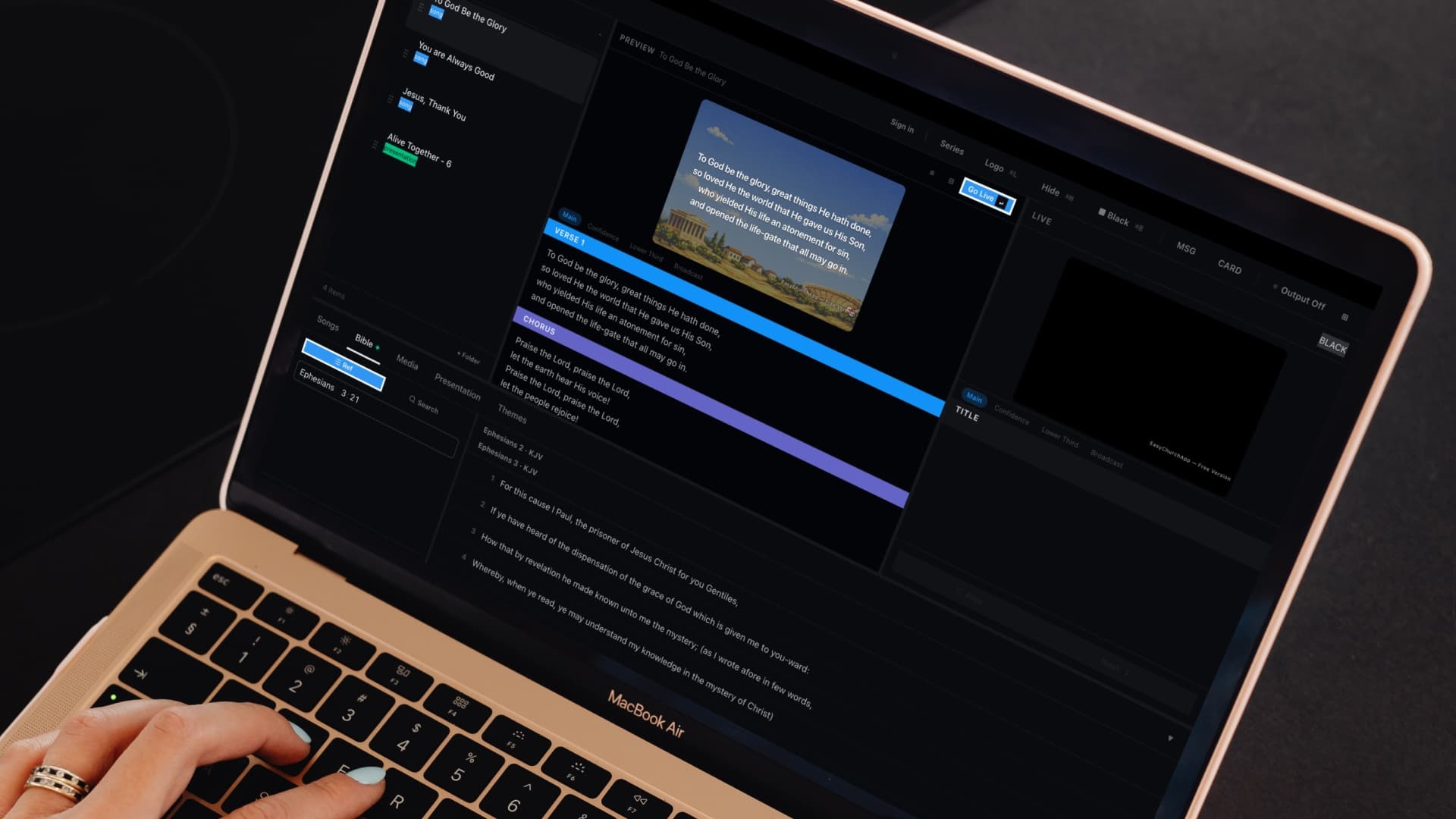
- Bible verse lookup
- Song lyrics library
- Schedule builder
- Main output and a confidence monitor
- Syncs songs and plans with EasyChurchApp on paid plans

What WorshipBoard does on Sunday
You build a schedule for the service, look up a Bible verse, and pull song lyrics from your library.
Then you run the slides from the presentation computer.
It also has a confidence monitor output for the people on stage.
Free WorshipBoard and what paid plans add
WorshipBoard is always free to download and run, with a small watermark on the output.
Any paid EasyChurchApp plan removes the watermark.
Paid plans also turn on sync, so songs and service plans flow both ways between WorshipBoard and your EasyChurchApp admin, and more than one computer can stay connected.
There is nothing extra to buy: full WorshipBoard is included in every paid plan.
Plan in Services, present in WorshipBoard
On a paid plan, when you plan a Sunday on the Services page, WorshipBoard gets the same order of songs and readings.
Backgrounds, themes and videos you add in WorshipBoard stay put when the plan changes.
The CCLI report counts songs from both your service plans and WorshipBoard.
How to set up WorshipBoard
Download WorshipBoard from this page or from your WorshipBoard settings page, open it, and click Sign in.
Your browser opens, you click Authorize, and WorshipBoard shows your church's name. There is no separate WorshipBoard account.
On a paid plan, you can see every paired computer in settings, and remove one if a laptop is retired or lost.
The download link always points to the latest version.
Download WorshipBoard
Pick the computer you project from. Each link always gets the latest version.
Help articles
- Getting started with WorshipBoardDownload WorshipBoard, pair it with your church account, and drive slides for your service.
- Who can connect WorshipBoardEvery member of your church can connect WorshipBoard. Sermon notes and members-only events go only to staff and your serving teams, and only people you set to Can edit change the church's library.
- Create your first WorshipBoard setYour device is paired; build a theme and put together your first Sunday.
Frequently
asked questions
Is WorshipBoard free?
Yes. WorshipBoard is free to download and run, with a small watermark on the output.
What do paid plans add?
Any paid EasyChurchApp plan removes the watermark, syncs songs and service plans with your admin, and lets more than one computer stay connected.
Does WorshipBoard run on Mac and Windows?
Yes. There are downloads for Mac (Apple Silicon and Intel) and Windows.
Do we need a separate account?
No. You sign in with your EasyChurchApp account and authorize WorshipBoard in your browser.
Does it follow our service plan?
Yes, on a paid plan. When you change a plan on the Services page, WorshipBoard gets the same order of songs and readings.
Put Sunday on the screen
Download WorshipBoard for free, or start free with EasyChurchApp and connect the two.