A church prayer request app
and prayer wall
Members share prayer requests in EasyChurchApp, and requests they share with the church appear on your Community Wall right away.
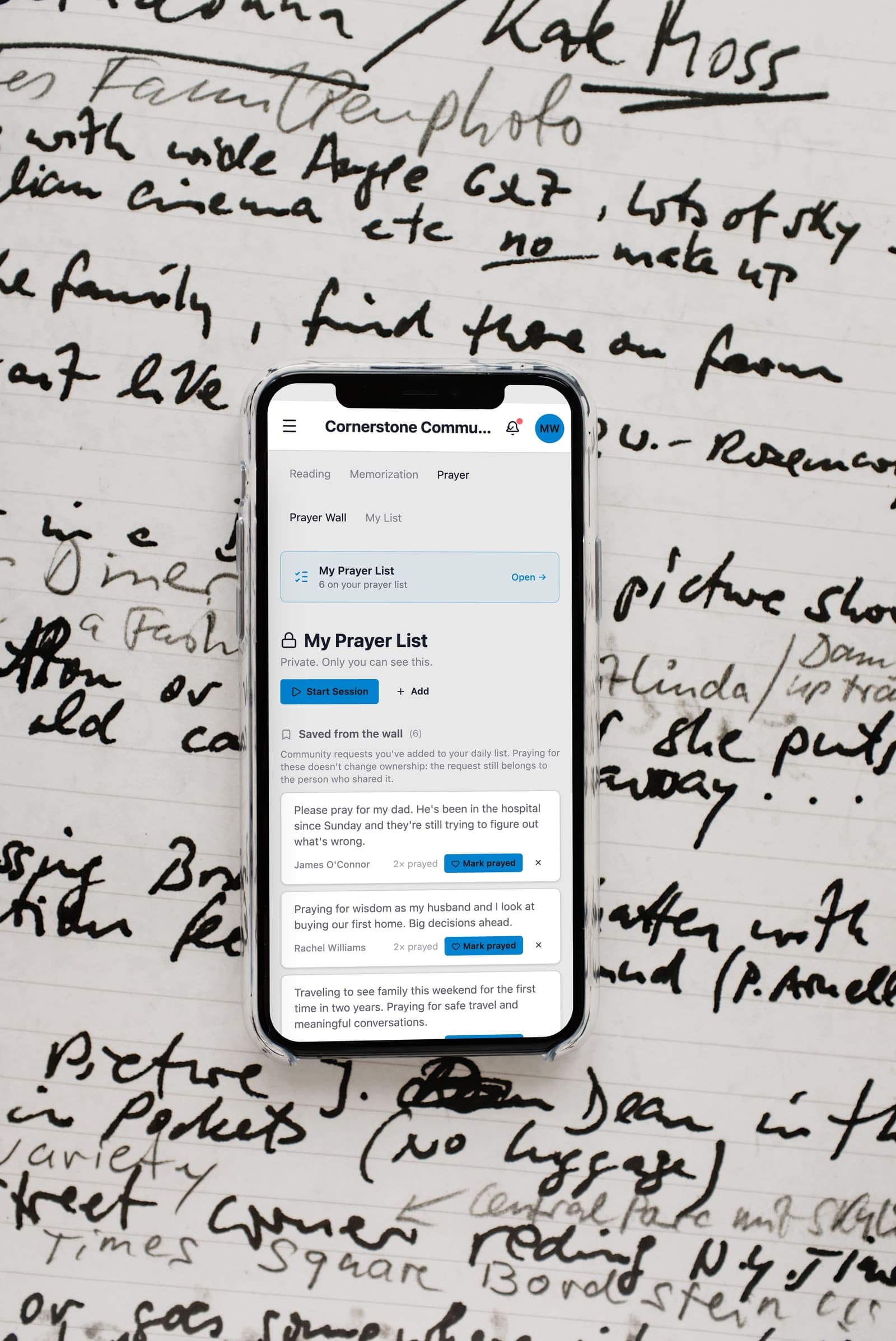
A member can also keep a request on their own prayer list, where it never shows on the wall. Prayer is included on every plan.
- Community Wall for the whole church
- Post anonymously, hidden from staff too
- Pray straight from the notification
- A personal prayer list for every member
- A prayer request form for your website
How members share a prayer request
A member writes a request in the app or on the website and chooses whether to share it with the church on the Community Wall or keep it on their own prayer list.
Requests shared with the church show on the wall straight away. If you would rather read them first, turn on approval in your member settings and they wait for a staff member.
A member can also share a request anonymously, and it stays anonymous to your staff too.

Praying for each other
Members see the wall and can tap to say they are praying for a request. When a new request is shared, members get a notification and can tap to pray right from it.
Each member also has their own prayer list. They can add requests from the wall to it, mark a prayer answered, and keep a daily streak.
Keeping the prayer wall safe
Members can report a prayer request from the app, and reports go to a moderation page where staff resolve or dismiss them. Staff can also hide any request from the wall.
A prayer request form for visitors
Add a Request Prayer section to any page of your website, and visitors can send a prayer request without an account. They can leave their name and email or stay anonymous.
Each request goes to the staff prayer queue in the app, and a copy is emailed to your church's contact email. It is not posted on the wall.
How this information is protected
How EasyChurchApp protects your church’s data- A private prayer-list item is seen only by the member who wrote it, never by staff.
- When a member posts a prayer request anonymously, staff see the request without the name.
- Each member decides who sees their email, phone number, address and birthday: only them, church staff, or all members. Until they choose, it stays private.
- The member directory is only for signed-in members of your church. It is not part of your public website.
- Only admins can change someone's role. Editors run content and member records; members see only what is shared with them.
- Any member can download the information held about them, or delete their account, from their account page.
Frequently
asked questions
Can members share prayer requests in the app?
Yes. Members write a request in the app or on the website and choose whether to share it on the Community Wall or keep it on their own prayer list.
Can a prayer request be anonymous?
Yes. Anonymous requests stay anonymous, including to your staff.
Do prayer requests need approval?
Not unless you want them to. Requests shared with the church show on the Community Wall right away, or you can turn on approval. Members can report a request, and staff review reports in a moderation page.
Can visitors send a prayer request?
Yes. Add a Request Prayer section to your website, and visitors can send a request without an account. It goes to your staff, not the wall.
Give your church one place to pray together
Prayer is included on every plan, free up to 10 active accounts.