Church check-in and attendance
for events, visitors and groups
EasyChurchApp checks people in at three places: event registrations, first-time visitors your Welcome Team is expecting, and small group meetings.
Child profiles belong to a parent and hold allergies, medical notes and an emergency contact. Check-in and attendance are included on every plan.

- Plan Your Visit button with a confirmation code
- Welcome Team list of who is expected on Sunday
- Event check-in by staff, by QR code or by the member
- Group attendance with a follow-up list
- Child profiles with allergies and an emergency contact
Welcome first-time visitors
Add a Plan Your Visit button to your website. A visitor tells you their name, which service they are coming to, how many are coming, and whether they are bringing children and their ages. They get a short confirmation code, by email if they gave one.
Members on your Welcome Team see who is expected that Sunday from their phone, look visitors up by name or code, and mark them as attended. Walk-ins can be added on the spot.
- Mark each visitor attended or a no-show
- Record the total headcount for a service
- Reports show how many visitors came each Sunday and where they heard about you
Check in event registrants
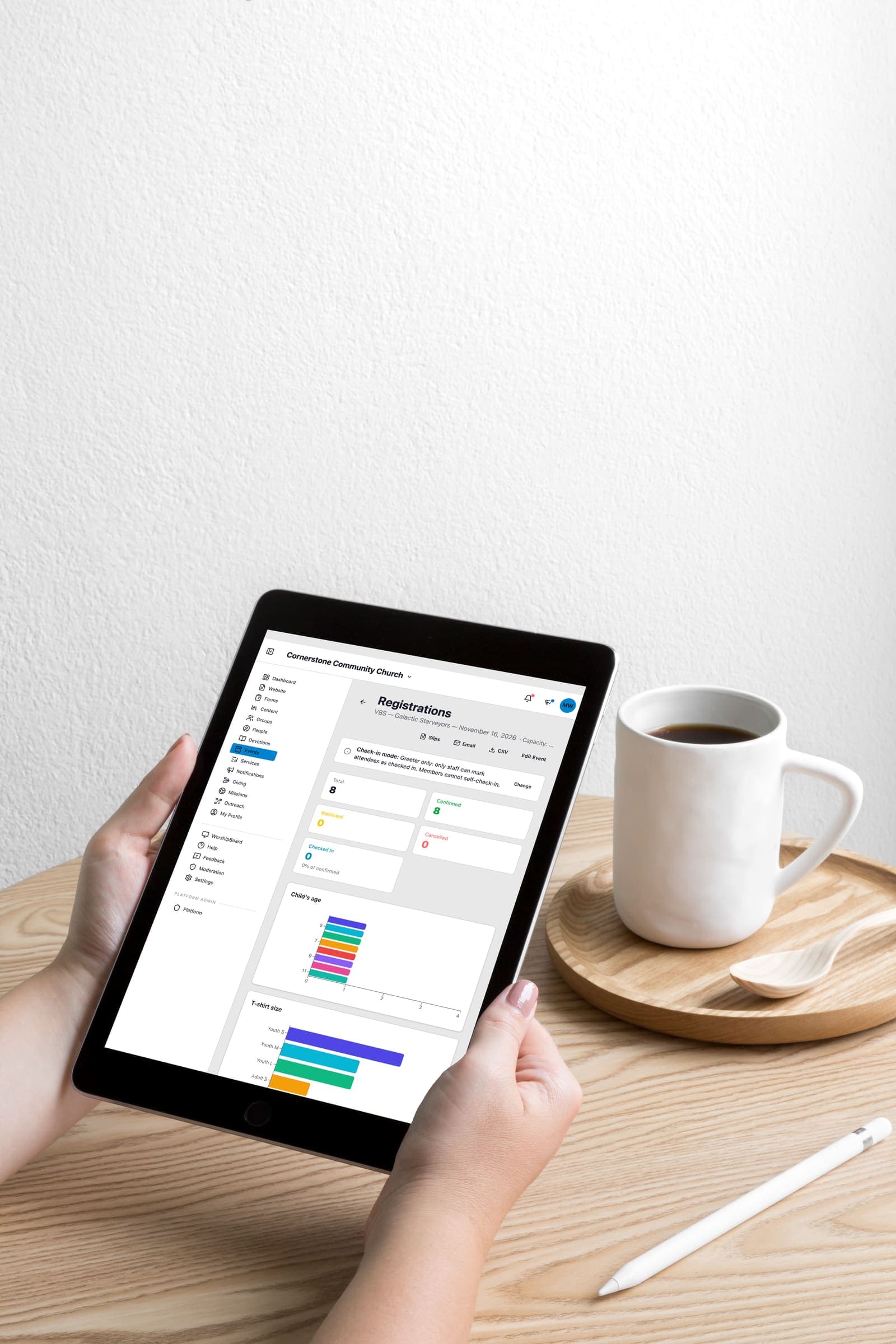
For any event with registration, check in confirmed registrants from the registrations page, and the time is recorded. A Checked In count shows how many have arrived out of those confirmed, and the registrant export includes who checked in.
Each event has its own check-in setting. Staff can do all the checking in, members can tap the Check in button in the app when they arrive, or each registrant gets a QR code that a greeter scans with the app at the door.
Small group attendance
Group leaders record who came after each meeting. You choose how many missed meetings in a row count as missing, and those people appear in a follow-up list, so the leader knows who to call.
Child profiles with allergies and emergency contacts
Children do not get logins; they get profiles that belong to a parent's account. A child profile holds name, birth date, grade, photo, notes, allergy switches for common allergens, medical notes and an emergency contact.
Parents keep these details up to date from their own account, and children never appear in the member directory. Grades move up each year without editing every profile by hand.
How this information is protected
How EasyChurchApp protects your church’s data- Each member decides who sees their email, phone number, address and birthday: only them, church staff, or all members. Until they choose, it stays private.
- The member directory is only for signed-in members of your church. It is not part of your public website.
- Only admins can change someone's role. Editors run content and member records; members see only what is shared with them.
- Any member can download the information held about them, or delete their account, from their account page.
- Children are never listed in the directory.
- A child's profile is seen by their parent and church staff, and by the leaders of a group or event check-in the child is part of.
Help articles
- Children and familiesChild records belong to a parent, carry the details a children's worker needs on the day, and follow different rules from adult accounts.
- Group attendanceTap who came, set what counts as missing, and find out who has quietly stopped turning up while it is still a phone call.
- Coming soonCheck people in at events and groupsAsk for this article
Frequently
asked questions
Does EasyChurchApp have check-in?
Yes. You can check in event registrants, mark expected first-time visitors as attended through your Welcome Team, and record small group attendance.
How does Plan Your Visit work?
Visitors fill in a short form on your website with the service and who is coming, get a confirmation code, and your Welcome Team sees them on Sunday.
Can people check themselves in to an event?
Yes, if you choose it for that event. Members can tap the Check in button in the app, or show a QR code for a greeter to scan. You can also keep check-in to staff only.
Where are children's allergies stored?
On the child's profile, which belongs to a parent's account. It has allergy switches, medical notes and an emergency contact, and the parent keeps it up to date.
Can group leaders take attendance?
Yes. Leaders mark who came after each meeting, and people who miss several in a row appear in a follow-up list.
Know who came, and who to call
Check-in and attendance are included on every plan, free up to 10 active accounts.